
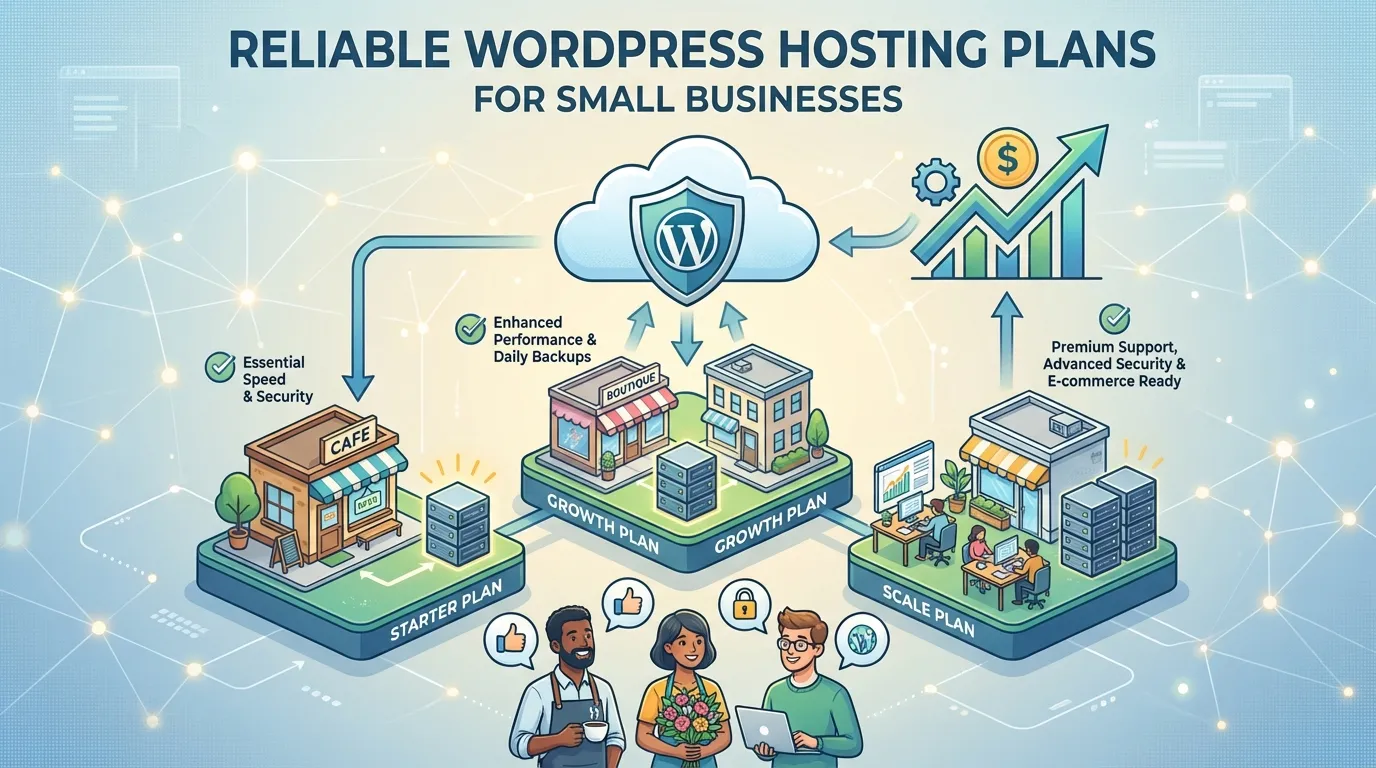
Choosing the right hosting plan can make or break your small business website. You need a solution that balances affordability with performance while ensuring your site stays online when it matters most. Many small businesses struggle with issues like limited domain hosting, hidden renewal costs, or unreliable uptime. A hosting plan with at least 99.9% uptime, strong security, and room to grow is essential. Slow-loading websites frustrate users and hurt your bottom line.
Reliable WordPress hosting plans can optimize speed, enhance security, and provide the support you need to thrive.
Bluehost WordPress Hosting Plans
Bluehost is one of the most popular choices for WordPress hosting plans, especially for small businesses. Its reputation for reliability, affordability, and excellent customer support makes it a top contender. For anyone launching a website for the first time or seeking an upgrade, Bluehost has the tools and performance to help them succeed.
Key Features of Bluehost
Bluehost stands out with its robust features tailored for WordPress users. You get an uptime guarantee of 99.99%, ensuring your website remains accessible to visitors almost all the time. This level of reliability is crucial for maintaining customer trust and avoiding lost sales. Bluehost provides a user-friendly control panel, making it easy for you to manage your website without technical expertise. It also includes free SSL certificates, automatic WordPress updates, and a one-click WordPress installation feature. These tools simplify the process of setting up and maintaining your site.
With over 4 million websites hosted on its platform, Bluehost has proven its ability to handle diverse business needs. Its market share reflects its popularity, with 25% of websites under the Newfold Digital Group brand relying on Bluehost.
Pricing and Affordability
Bluehost offers competitive pricing, making it an excellent choice for budget-conscious small businesses. Its basic plan starts at just $2.95 per month, which includes hosting for one website, 10 GB of storage, and a free domain for the first year.
For businesses needing more resources, Bluehost’s higher-tier plans provide additional storage, unlimited websites, and advanced features. These plans remain affordable compared to many competitors, offering great value for the price.
Pros of Bluehost for Small Businesses
Bluehost delivers several advantages that make it ideal for small businesses:
-
Exceptional customer support. Users praise the support team for their professionalism and quick problem resolution.
-
Easy-to-use interface. Even if you’re new to website management, Bluehost’s intuitive dashboard simplifies the process.
-
Scalability. As your business grows, you can easily upgrade to a plan that meets your expanding needs.
-
Strong market presence. Hosting over 4 million websites, Bluehost has a proven track record of reliability and performance.
With these benefits, Bluehost ensures your website operates smoothly, allowing you to focus on growing your business.
Cons to Consider
While Bluehost offers many benefits, it’s important to weigh the potential downsides before making a decision. Understanding these limitations can help you determine if this hosting plan aligns with your business needs.
-
Higher Renewal Costs
Bluehost’s introductory pricing is attractive, but renewal rates can be significantly higher. For example, the basic plan jumps from $2.95 per month to $10.99 after the first term. This increase may strain your budget if you’re not prepared for it. -
Limited Storage on Basic Plans
The entry-level plan includes only 10 GB of storage. If your website grows quickly or requires media-rich content, you might find this limit restrictive. Upgrading to a higher-tier plan becomes necessary, which adds to your costs. -
No Monthly Billing Option
Bluehost requires you to commit to at least a one-year plan. This lack of flexibility can be inconvenient if you prefer monthly billing or want to test the service for a shorter period. -
Performance Issues During High Traffic
Shared hosting plans, including Bluehost’s basic options, may experience slower performance during traffic spikes. If your website attracts a sudden surge of visitors, loading times could increase, potentially affecting user experience. -
Add-On Costs for Advanced Features
While Bluehost includes essential features, advanced tools like site backups or security add-ons often come at an extra cost. These additional expenses can add up over time, especially for small businesses with tight budgets.
Despite these drawbacks, Bluehost remains a solid choice for many small businesses. However, understanding these cons ensures you make an informed decision tailored to your specific needs.
SiteGround WordPress Hosting Plans
SiteGround has earned its reputation as a reliable hosting provider for small businesses. Its focus on performance, security, and customer support makes it a standout choice for WordPress hosting plans. You can find the tools and features essential for success with your website, new or existing, at SiteGround.
Key Features of SiteGround
SiteGround provides a range of features designed to simplify website management and enhance performance. Here’s what makes it unique:
-
Exceptional uptime: With a 99.99% uptime guarantee, your website stays online and accessible to visitors.
-
User-friendly interface: The intuitive dashboard ensures even beginners can manage their sites effortlessly.
-
Comprehensive features: Free SSL certificates, daily backups, and a built-in CDN come standard, even with the most basic plans.
-
Robust security: Advanced measures like unique account isolation and anti-hack systems protect your site from threats.
-
Multiple support options: You can access 24/7 customer support through live chat, phone, or helpdesk tickets.
These features ensure your website remains secure, fast, and easy to manage, giving you more time to focus on growing your business.
Pricing and Affordability
SiteGround offers competitive pricing for its WordPress hosting plans, making it a great option for small businesses. Here’s a breakdown of their starting prices:
|
Plan |
Starting Price |
|---|---|
|
GrowBig |
$6.69/month |
|
GoGeek |
$10.69/month |
|
Cloud |
$100/month |
The GrowBig plan is ideal for small businesses looking for affordability without sacrificing essential features. For those needing advanced tools and resources, the GoGeek and Cloud plans provide excellent scalability.
Pros of SiteGround for Small Businesses
SiteGround delivers several benefits that make it a top choice for small businesses:
-
Reliable performance: The 99.99% uptime ensures your site remains accessible, building trust with your audience.
-
Enhanced security: Strong security measures protect your data and prevent potential breaches.
-
Beginner-friendly tools: The user-friendly interface and comprehensive features simplify website management.
-
Outstanding support: The 24/7 customer service ensures you get help whenever you need it.
-
Scalability: As your business grows, you can easily upgrade to a plan that meets your needs.
SiteGround’s combination of affordability, reliability, and robust features makes it a smart investment for small businesses.
Cons to Consider
While SiteGround offers many benefits, it’s important to weigh its limitations before making a decision. Here are some drawbacks you should consider:
-
Higher Pricing for Advanced Plans
SiteGround’s entry-level plans are affordable, but the cost of advanced options like GoGeek or Cloud Hosting can be steep. For example, the Cloud plan starts at $100 per month, which may not fit the budget of every small business. -
Limited Storage on Basic Plans
The GrowBig plan includes only 20 GB of storage. If your website relies on high-resolution images, videos, or other media-heavy content, this limit might feel restrictive. You may need to upgrade sooner than expected. -
No Free Domain
Unlike some competitors, SiteGround doesn’t include a free domain with its hosting plans. You’ll need to purchase a domain separately, which adds to your initial setup costs. -
Renewal Rates Can Be Expensive
SiteGround’s promotional pricing is attractive, but renewal rates are significantly higher. For instance, the GrowBig plan jumps from $6.69 per month to $24.99 after the first term. This increase can catch you off guard if you’re not prepared. -
Limited Monthly Visitors on Shared Plans
SiteGround imposes a monthly visitor cap on its shared hosting plans. The GrowBig plan supports around 100,000 visits per month. If your website experiences rapid growth, you might outgrow this limit quickly.
Despite these drawbacks, SiteGround remains a strong contender for small businesses. Its reliability and robust features often outweigh these cons, but understanding them helps you make an informed choice.
HostGator WordPress Hosting Plans
HostGator is a trusted name in the hosting industry, offering WordPress hosting plans that cater to small businesses. Its combination of affordability, performance, and user-friendly features makes it a strong contender for your website needs.
No matter if you’re launching a new business or changing providers, HostGator has the tools to help your business flourish.
Key Features of HostGator
HostGator stands out with features designed to simplify your hosting experience and enhance website performance:
-
Exceptional uptime: HostGator consistently delivers high uptime rates, ensuring your site remains accessible. Over the past year, it achieved 100% uptime in multiple months, outperforming competitors like WordPress.
-
Free site migration: If you’re switching from another host, HostGator offers free site transfers, saving you time and effort.
-
45-day money-back guarantee: Unlike many competitors, HostGator gives you more time to evaluate its services risk-free.
-
User-friendly cPanel: Managing your website is straightforward with HostGator’s intuitive cPanel interface.
-
24/7 live chat support: You can access expert assistance anytime, ensuring quick resolutions to any issues.
These features make HostGator a reliable choice for small businesses seeking a hassle-free hosting experience.
Pricing and Affordability
HostGator offers competitive pricing tailored to small business budgets. Its WordPress hosting plans start at $5.95 per month, providing excellent value for the features included. The basic plan supports one website, includes 50 GB of storage, and offers unmetered bandwidth. For businesses requiring more resources, higher-tier plans provide additional benefits like unlimited websites and enhanced performance. HostGator’s pricing remains affordable compared to many competitors, making it an attractive option for cost-conscious entrepreneurs.
HostGator’s refund policy adds peace of mind. If you’re unsatisfied, you can take advantage of the 45-day money-back guarantee. However, keep in mind that this applies only to hosting fees and excludes add-ons. If you received a free domain, its cost will be deducted from your refund.
Pros of HostGator for Small Businesses
HostGator offers several advantages that make it a great choice for small businesses:
-
Reliable performance: With consistent uptime and fast loading speeds, your website stays accessible and user-friendly.
-
Generous refund policy: The 45-day money-back guarantee gives you ample time to test the service.
-
Scalability: HostGator provides various hosting options, including shared, VPS, and dedicated plans, allowing you to upgrade as your business grows.
-
Comprehensive support: The 24/7 live chat ensures you always have access to expert assistance.
-
Ease of use: The cPanel interface simplifies website management, even for beginners.
HostGator’s combination of affordability, reliability, and user-friendly features makes it a smart investment for your small business website.
Cons to Consider
While HostGator offers many benefits, you should weigh its limitations before making a decision. Here are some drawbacks that might impact your experience:
-
Higher Renewal Rates
HostGator’s introductory pricing is attractive, but renewal costs can catch you off guard. For example, the basic plan starts at $5.95 per month but renews at $9.95. This increase might strain your budget if you’re not prepared. -
Limited Features on Basic Plans
The entry-level plan includes 50 GB of storage and supports one website. If your business grows or requires more resources, you’ll need to upgrade to a higher-tier plan. This could lead to additional expenses over time. -
No Free Daily Backups
Unlike some competitors, HostGator doesn’t include free daily backups in its basic plans. You’ll need to purchase this feature as an add-on, which increases your overall costs. -
Performance Issues During High Traffic
Shared hosting plans, including HostGator’s basic options, may struggle during traffic spikes. If your website experiences sudden growth, you might notice slower loading times, which could frustrate visitors. -
Upselling of Add-Ons
HostGator often promotes additional services like SEO tools or security features during checkout. While these can be helpful, they add to your costs and may feel overwhelming if you’re on a tight budget.
Despite these cons, HostGator remains a reliable option for many small businesses. Understanding these drawbacks ensures you make an informed choice that supports your business’s success.
DreamHost WordPress Hosting Plans
DreamHost stands out as a reliable option for small businesses seeking WordPress hosting plans. Its focus on security, performance, and ease of use makes it a strong contender for your website needs. DreamHost offers tools to ensure your business thrives, whether you’re creating a new website or enhancing an old one.
Key Features of DreamHost
DreamHost offers a robust set of features designed to enhance your website’s performance and security. Here’s what you can expect:
-
Pre-installed SSL/TLS certificates to secure your site and protect user data.
-
A dedicated Web Application Firewall (WAF) that blocks hacking attempts and malware.
-
Automated daily backups to safeguard your content.
-
Jetpack Premium plugin for advanced security and performance tools.
-
Automatic WordPress core updates to keep your site secure and up-to-date.
-
Private IP addresses and SSL certificates tailored for eCommerce websites.
These features ensure your website remains fast, secure, and easy to manage, giving you peace of mind while you focus on growing your business.
Pricing and Affordability
DreamHost offers competitive pricing that caters to small business budgets. Here’s a breakdown of their WordPress hosting plans:
|
Plan Name |
Starting Price |
Features Included |
|---|---|---|
|
Shared Starter |
$2.59/month |
1 website, free domain, unlimited traffic |
|
DreamPress |
$16.95/month |
Managed hosting, 30GB storage, staging |
|
VPS for WordPress |
$13.75/month |
Scalable resources, dedicated IP address |
The Shared Starter plan is perfect for small businesses just starting out. For those needing more advanced features, DreamPress and VPS plans provide excellent scalability and performance.
Pros of DreamHost for Small Businesses
DreamHost delivers several advantages that make it a top choice for small businesses:
-
Affordable pricing: The Shared Starter plan offers excellent value for tight budgets.
-
Enhanced security: Features like WAF, SSL certificates, and automated backups protect your site from threats.
-
Unlimited traffic: Unlike many competitors, DreamHost doesn’t impose traffic limits, ensuring your site can handle growth.
-
User-friendly tools: The intuitive dashboard and one-click WordPress installation simplify website management.
-
Reliable support: You get 24/7 assistance from WordPress experts, ensuring quick resolutions to any issues.
DreamHost’s combination of affordability, security, and ease of use makes it a smart investment for your small business website.
Cons to Consider
While DreamHost offers many benefits, you should weigh its limitations before deciding if it’s the right fit for your business. Here are some drawbacks to keep in mind:
-
Higher Pricing for Advanced Plans
DreamHost’s entry-level plans are affordable, but the cost of advanced options like DreamPress or VPS hosting can be steep. For instance, the DreamPress plan starts at $16.95 per month, which may not suit every small business budget. -
No Phone Support
Unlike some competitors, DreamHost doesn’t provide phone support. You’ll rely on live chat or email for assistance. While these options are effective, they might not feel as immediate or personal as speaking to a representative directly. -
Limited Data Centers
DreamHost operates data centers only in the United States. If your audience is global, this could lead to slower loading times for international visitors. You might need to invest in a Content Delivery Network (CDN) to improve performance, which adds to your costs. -
Steeper Learning Curve for Beginners
DreamHost’s custom control panel differs from the standard cPanel used by many hosting providers. If you’re new to website management, this unique interface might take some time to learn. -
No Free Site Migration
DreamHost doesn’t include free site migration for its Shared Starter plan. If you’re moving from another host, you’ll either need to handle the migration yourself or pay an additional fee for DreamHost’s migration service.
Despite these drawbacks, DreamHost remains a strong contender for small businesses. Understanding these cons ensures you choose a hosting plan that aligns with your needs and expectations.
WP Engine WordPress Hosting Plans
WP Engine is a premium choice for small businesses seeking top-tier WordPress hosting plans. Known for its unmatched performance, security, and scalability, WP Engine empowers you to focus on growing your business while leaving the technical complexities to the experts.
Key Features of WP Engine
WP Engine offers a suite of advanced features designed to optimize your website’s performance and security. These tools ensure your site runs smoothly, even during high-traffic periods.
|
Feature |
Description |
|---|---|
|
Easy-to-use workflow tools |
Simplify development with intuitive tools that accelerate your website-building process. |
|
Automated site backups |
Protect your data with daily backups that safeguard against unexpected issues. |
|
Forever free SSL certificates |
Secure sensitive data and build customer trust with free SSL certificates included in every plan. |
|
99.95% uptime guarantee |
Ensure your site remains accessible with robust infrastructure that minimizes downtime. |
|
Peak performance |
Leverage EverCache® technology for seamless performance without additional plugins. |
|
Best-in-class security |
Benefit from SOC 2 and ISO 27001-2013 certifications, meeting the highest industry standards. |
|
24/7 expert support |
Get round-the-clock assistance from WordPress experts to resolve technical challenges. |
|
Easy migrations |
Switch hosting providers effortlessly with managed or automated migration tools. |
|
Stress-free site management |
Use an intuitive dashboard to manage plugins, themes, and user activity with ease. |
|
Hassle-free updates |
Save time with automatic plugin updates backed by visual regression testing. |
|
Built to scale |
Handle traffic spikes and business growth without compromising performance. |
These features make WP Engine a reliable partner for small businesses aiming to deliver a flawless user experience.
Pricing and Affordability
WP Engine’s pricing reflects its premium offerings, making it ideal for businesses that prioritize performance and security. Here’s a breakdown of their plans:
|
Plan Name |
Starting Price |
Features Included |
|---|---|---|
|
Startup |
$20/month |
1 website, 10GB storage, 50GB bandwidth |
|
Professional |
$39/month |
3 websites, 15GB storage, 75GB bandwidth |
|
Growth |
$77/month |
10 websites, 20GB storage, 100GB bandwidth |
The Startup plan is perfect for small businesses launching their first website. As your business grows, the Professional and Growth plans provide the resources needed to scale seamlessly.
Pros of WP Engine for Small Businesses
WP Engine offers several advantages that make it a standout choice for small businesses:
-
Unmatched performance: EverCache® technology ensures your site loads quickly, even during traffic surges.
-
Robust security: Industry-leading certifications and advanced tools protect your site from threats.
-
Scalability: Easily upgrade your plan to accommodate growing traffic and business needs.
-
Expert support: 24/7 access to WordPress specialists ensures you’re never alone when challenges arise.
-
Time-saving tools: Automated backups, updates, and intuitive management features free up your time for other priorities.
With WP Engine, you gain a hosting partner that prioritizes your success. Its premium features and reliable support make it a worthwhile investment for businesses ready to scale.
Cons to Consider
WP Engine offers premium features, but it’s not without its drawbacks. Before committing, you should weigh these limitations to ensure it aligns with your business goals.
-
Higher Cost Compared to Competitors
WP Engine’s pricing reflects its premium nature. The Startup plan begins at $20 per month, which is significantly higher than many shared hosting providers. While the features justify the cost for some, small businesses with tight budgets might find it challenging to afford. -
Limited Storage on Entry-Level Plans
The Startup plan includes only 10GB of storage. If your website relies on high-resolution images, videos, or other media-heavy content, this limit could become restrictive. Upgrading to a higher-tier plan adds to your expenses. -
No Email Hosting
WP Engine doesn’t provide email hosting. You’ll need to purchase this service separately from providers like Google Workspace or Microsoft 365. This adds another layer of cost and complexity to your setup. -
Steeper Learning Curve for Beginners
WP Engine’s advanced tools and features cater to experienced users. If you’re new to WordPress, you might find the platform overwhelming at first. While their support team is helpful, the initial learning curve could slow you down. -
Traffic Limits on Plans
Each plan has a cap on monthly visits. For example, the Startup plan supports up to 25,000 visits per month. If your site experiences rapid growth, you may need to upgrade sooner than expected, increasing your costs.
Despite these cons, WP Engine remains a strong choice for businesses that value performance and security. Understanding these limitations ensures you make an informed decision that supports your long-term success.
Choosing the right WordPress hosting plan can set your business up for success. Bluehost, SiteGround, HostGator, DreamHost, and WP Engine each offer unique features tailored to small businesses. From affordability to advanced security, these options cater to diverse needs. When selecting a hosting plan, focus on what matters most to your business. Consider factors like server reliability, pricing, and customer support. Scalability and performance are crucial for long-term growth, ensuring your website adapts to increased traffic without compromising speed or user experience.
Take the time to evaluate your goals and choose a hosting provider that aligns with your vision. A reliable hosting plan is more than a service—it’s an investment in your business’s future.
FAQ
What is WordPress hosting, and why do you need it?
WordPress hosting is a specialized service optimized for WordPress websites. It ensures faster loading speeds, enhanced security, and better support. If you want your site to perform well and handle traffic efficiently, WordPress hosting is the best choice.
How do I choose the right hosting plan for my small business?
Focus on your needs. Look for uptime guarantees, scalability, and customer support. If you’re on a budget, prioritize affordability without sacrificing essential features like security and performance.
Can I switch hosting providers later?
Yes, you can migrate your website to another host. Many providers offer free migration services or tools to make the process seamless. Always check if your new host supports this feature.
Is managed WordPress hosting worth the cost?
Managed hosting saves time by handling updates, backups, and security. It’s ideal if you lack technical expertise or want to focus on growing your business. The added cost often pays off in convenience and reliability.
Do hosting plans include email services?
Not all hosting plans include email. Some providers, like WP Engine, require you to purchase email hosting separately. Check the plan details to avoid unexpected costs.